
Learn French with Amélie: Vocabulary, Phrases, and How to Import It into LingQ
 LingQ
10 Jul 2026
LingQ
10 Jul 2026
TL;DR
You can turn Amélie into a full French lesson by watching it with French subtitles on and importing the subtitle track into LingQ with the browser extension — no transcript, prep, or separate app needed. The film is best suited to A2–B1 learners and is especially good for everyday conversational and emotional vocabulary.
I’d been putting off starting a new French film for a couple of weeks, mostly because nothing was pulling me in. Then a friend mentioned Amélie, and I remembered how much I loved it in English years ago. Watching it in French, actually understanding it this time, felt like a good enough reason to finally sit down.
| Film | Le Fabuleux Destin d’Amélie Poulain |
| Director | Jean-Pierre Jeunet |
| Year | 2001 |
| Language | French (Parisian accent) |
| Best for | A2 to B1 learners |
| Available on | Various streaming platforms |
| Import to LingQ | Yes, via browser extension |
Getting it into LingQ
You can import Amélie directly from any streaming platform using the LingQ browser extension. I found it on a streaming platform with French subtitles on, clicked the LingQ browser extension, and about two minutes later the subtitle track had turned into a lesson.
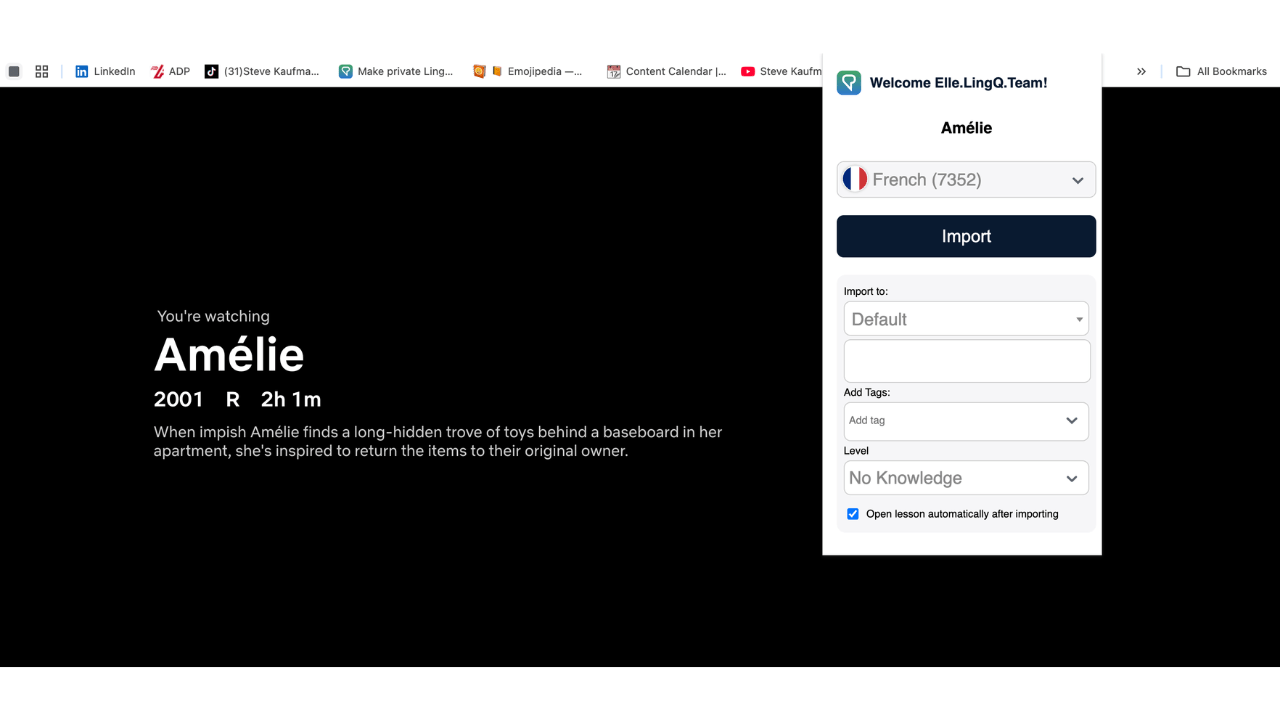
Nothing complicated, just the film’s dialogue sitting in front of me the same way any imported article or video would.
I pressed play and started reading along.
The first ten minutes
The opening narration is fast. Not painfully fast, but fast enough that I was glad I could tap words without stopping the flow. The narrator runs through a rapid list of Amélie’s father’s likes and dislikes, il aime ça, il n’aime pas ça, over and over in this rhythm that’s almost musical once you tune into it.
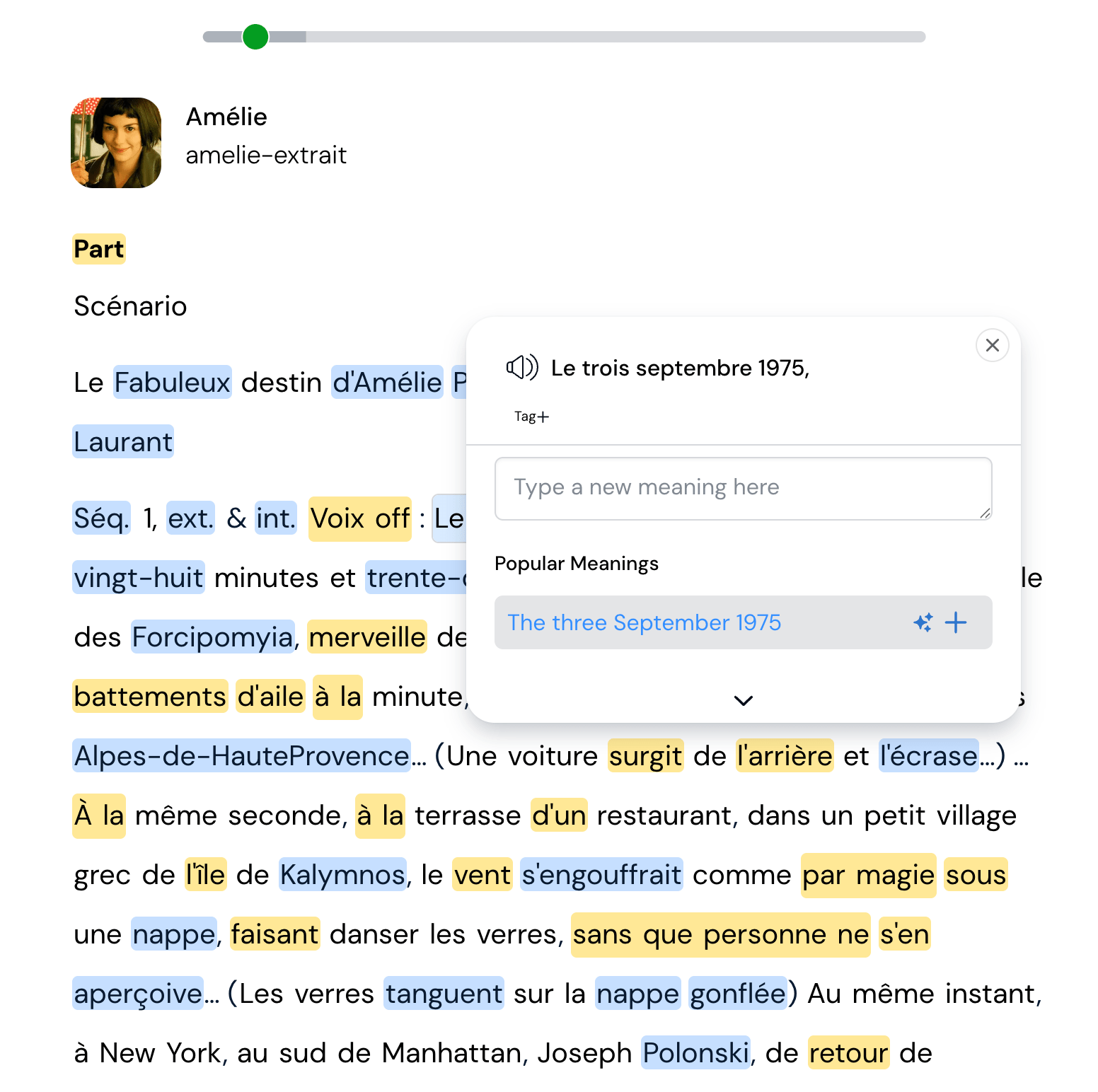
A few words caught me off guard early on. Flâner showed up in the narration, tapped it, saw “to stroll without purpose,” and immediately understood why half of Amélie’s shots are just her wandering Montmartre for no particular reason. That’s such a Parisian idea that English doesn’t really have a single word for it.
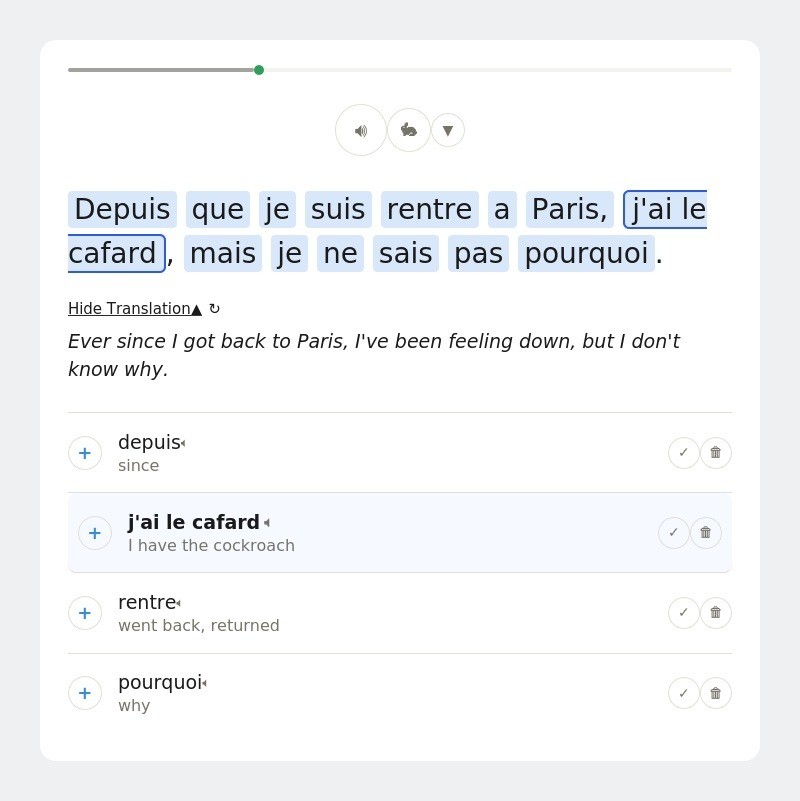
A little later someone says j’ai le cafard, and the popup translation was “I have the cockroach,” which made no sense until the actual meaning clicked: to feel down, to feel blue. I saved it mostly because I liked the mental image too much not to.
Where the session actually slowed down
Fast, overlapping dialogue is where LingQ’s sentence mode becomes useful. There’s a scene deep in dialogue where two characters are talking quickly and I lost the thread twice. I switched to sentence mode for that stretch, one line at a time, audio replaying automatically. It’s not how I watch the rest of the film, but it’s exactly what that scene needed. Once I understood it, I switched straight back to normal playback.
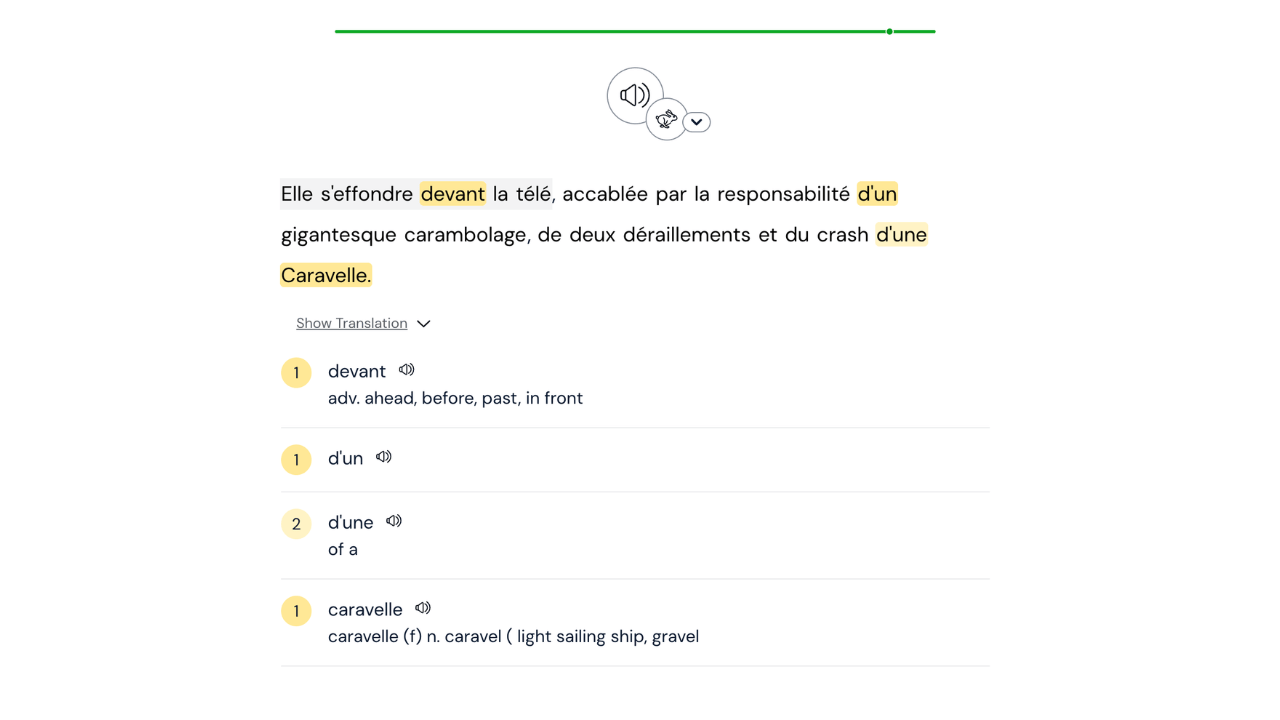
By the time I’d gotten through the first twenty minutes, I’d saved somewhere around 40 words. A few I already half-knew and just wanted to lock in. Most were completely new. Bricoler (to tinker, exactly what Amélie’s father does with his tools all day). Rater (to miss, or to mess something up, which comes up constantly whenever one of Amélie’s little schemes goes wrong). Le malaise, which shows up in French conversation far more than “unease” does in English.
Picking it back up on my phone
Progress and saved words sync automatically between the LingQ app and browser, so you can review on the go. I didn’t finish the film in one sitting. Two nights later I was on the train and opened the same lesson in the LingQ app. Same words highlighted the same way, same progress waiting for me exactly where I’d left off. I did about fifteen minutes standing on a train platform, mostly just reviewing words I’d saved a few days earlier and letting a couple more scenes play through.

That’s honestly become my favorite way to fit this in. A real study session on the couch when I have time, short review bursts on my phone when I don’t.
What I ended up with
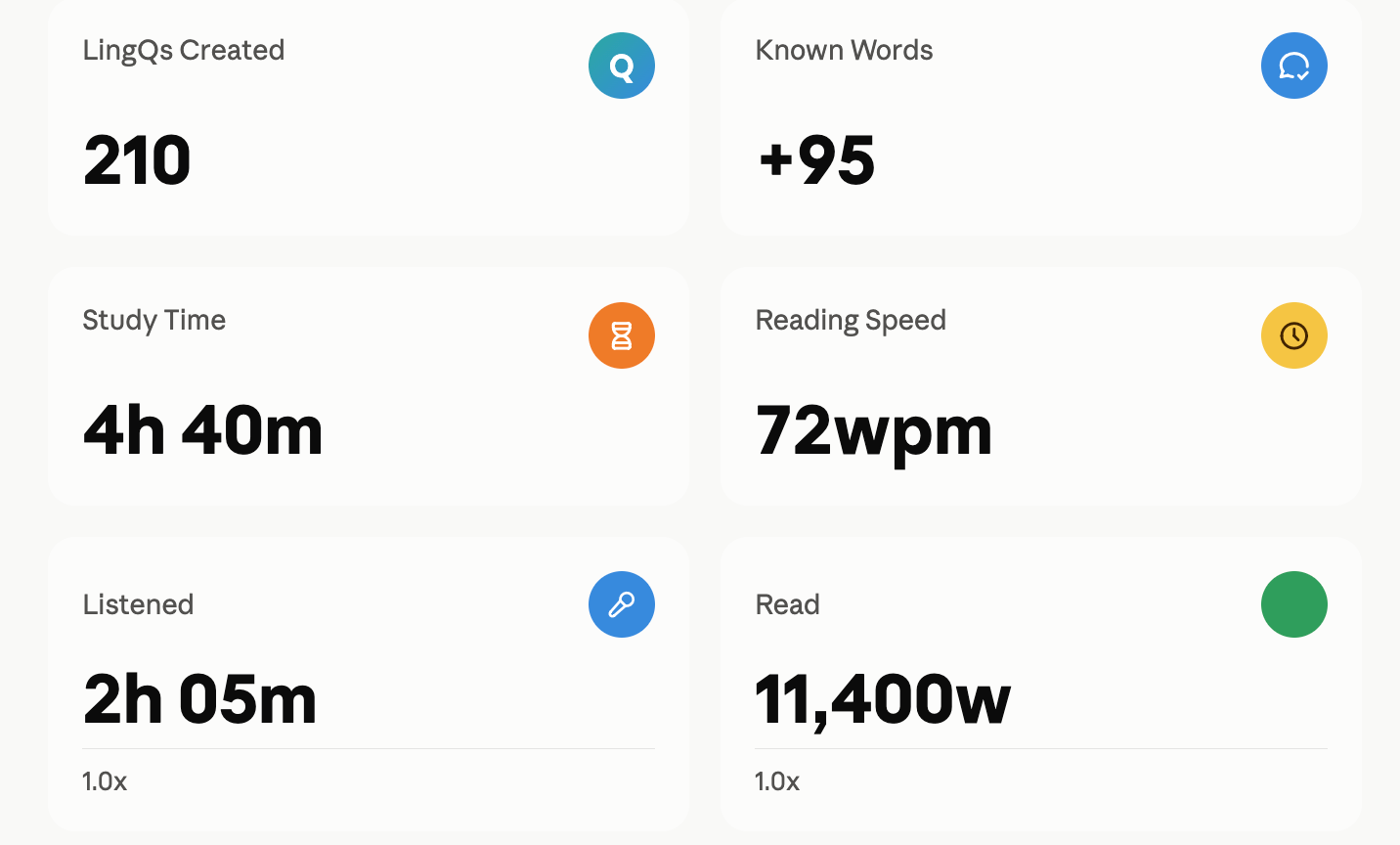
A single viewing session can add over 200 new saved words and two hours of listening time. After working through the film, here’s roughly where I landed: about 210 new words saved, over two hours added to my French listening time, and my known word count up by around 95. Small numbers on their own, but they stack up fast when you’re doing this a few times a week.
I also opened Lynx afterward, mostly out of curiosity. It already knew I’d been in an Amélie lesson and offered to chat in French about it.
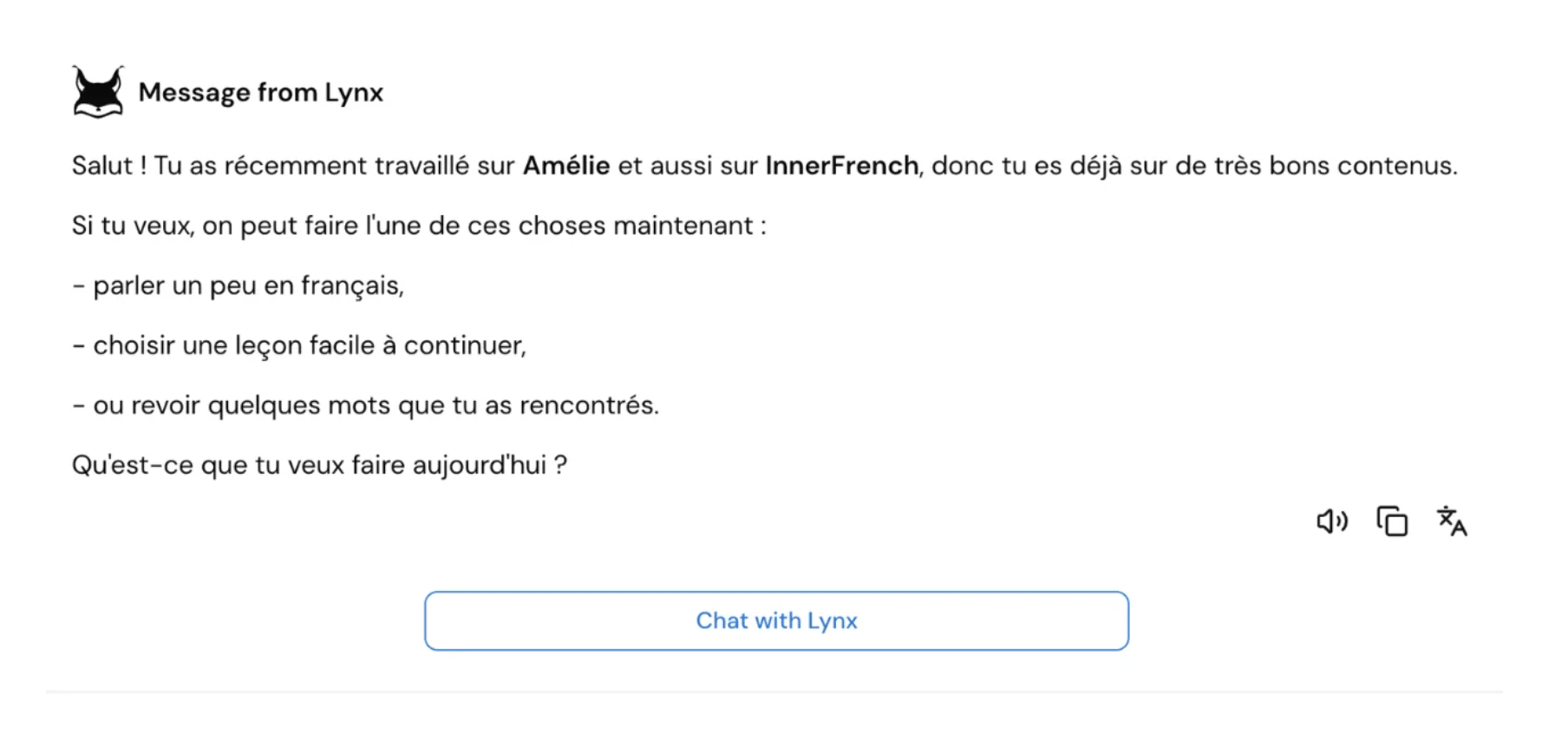
I asked it to use some of the words I’d just saved, flâner, avoir le cafard, and it worked them into the conversation naturally, which was a fun way to see them again in a completely different sentence than the one I’d first met them in.

What’s next
The same import method works for any French film or show with subtitles, not just Amélie. I’ve got Lupin queued up (faster, more contemporary Parisian French) and Dix Pour Cent for whenever I want something set in an office instead of Montmartre.
If you want to try this with something you’re actually watching anyway: install the LingQ browser extension, turn on subtitles in your target language, and click it. That’s really the whole first step.
Frequently Asked Questions
Yes, particularly for A2 to B1 learners. The French in Amélie is clearly spoken, Parisian in accent, and rich in vocabulary that reflects real everyday expression. The film’s narration is especially useful for studying grammar structures and descriptive vocabulary in context. According to Stephen Krashen’s input hypothesis, content that is genuinely interesting and slightly above your current level produces the most acquisition. Amélie fits this description well.
A2 to B1 is the ideal level. Complete beginners will find the pace challenging, but learners with a basic vocabulary foundation can follow the plot and pick up significant vocabulary through context. LingQ’s instant word lookup removes most of the friction so you can tap any unfamiliar word without leaving the lesson.
Install the LingQ browser extension for Chrome, Safari, Firefox, or Edge. Open Amélie on a streaming platform with French subtitles enabled and click the extension icon. LingQ imports the subtitle track as an interactive lesson with instant in-context translations and automatic vocabulary tracking across all your lessons.
Amélie is particularly strong for emotional and descriptive vocabulary, Parisian idiomatic expressions, and everyday conversational French. Key words include flâner (to stroll without purpose), avoir le cafard (to feel down), bricoler (to tinker), and rater (to miss or fail at something). These are words that rarely appear in textbooks but come up constantly in real French conversation.
Yes. The LingQ browser extension works with any streaming content that has French subtitles, including Netflix, YouTube, and most other major platforms. You can also import French articles, podcasts, and ebooks directly into LingQ for the same interactive study experience.
Twenty minutes a day beats a weekend of drilling.
Read and listen to things you’d have read anyway — LingQ counts every word you pick up along the way.
- 5M+ learners
- 4.7★
- Free to start


You might also like